
Food and drinks
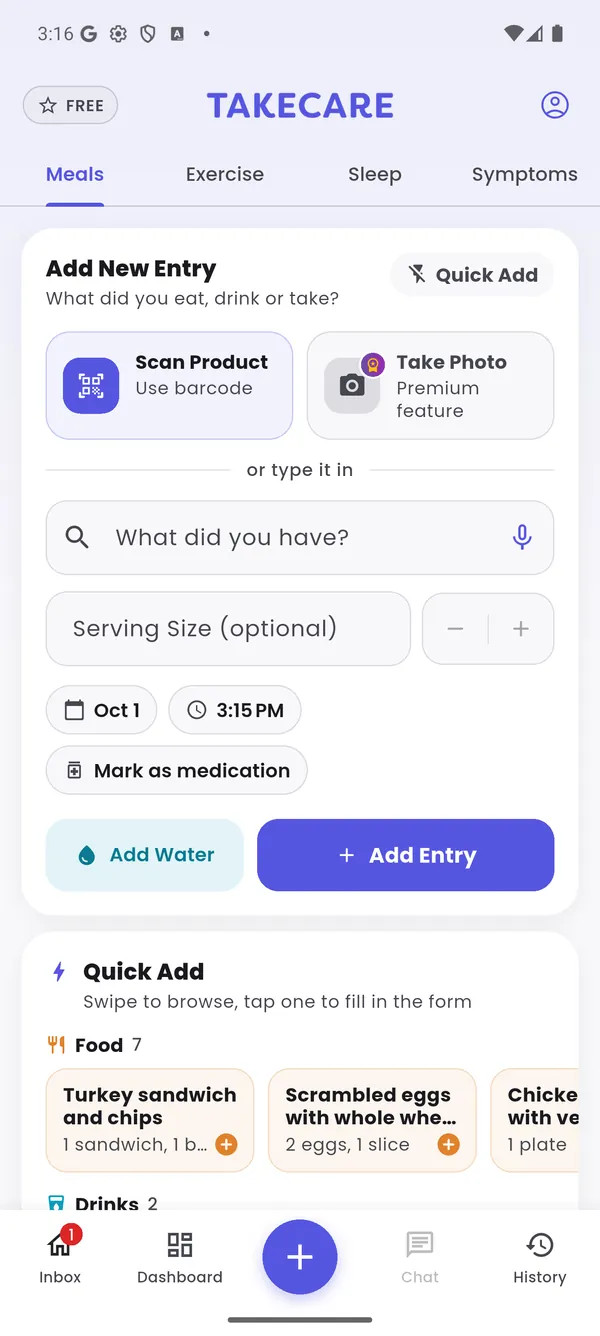
Type or say what you had, scan a barcode, or snap a photoPRO. Re-add favorites in one tap with Quick Add. Water and caffeine count toward hydration.
TakeCare brings your meals, medications, sleep, activity and symptoms into one place, then shows you how they affect each other. Less guessing. Better conversations with your doctor.
Whatever you’re managing, the questions are the same: what’s helping, what’s making it worse, and why some days are so much harder than others. People use TakeCare to understand life with:
TakeCare helps you see: how carbs, sugar and meal timing line up with how you feel, along with your activity, sleep and whether you’re taking your medications on schedule.
TakeCare helps you see: sodium and saturated fat against daily limits, alcohol and caffeine, your activity, and every dose of medicines like blood thinners.
TakeCare helps you see: what you ate before your worse days, late-night eating, and how your symptoms change through the day.
TakeCare helps you see: how your symptoms change through the day, whether as-needed pain medication is helping, and how sleep and activity line up with flares.
TakeCare helps you see: your sleep stages, caffeine, alcohol and hydration, and the meals and nights before your worst days.
TakeCare helps you see: how sleep, activity and daily routines line up with how you feel, and when you take your medications.
TakeCare helps you see: your medication timing, how your energy and symptoms change through the day, your sleep, and your nutrition against your goals.
TakeCare helps you see: sodium, fluids and alcohol, the foods and drinks you had before a flare, and whether you’re staying on track with your medications.
TakeCare helps you see: your symptoms and notes, activity, sleep and night-time awakenings, and whether you’re keeping up with daily controller medicines.
TakeCare doesn’t diagnose or treat any condition. It helps you notice patterns to talk through with your care team.
Every screen below is from the real app, using a demo patient (Jordan) who lives with type 2 diabetes, high blood pressure and migraines.
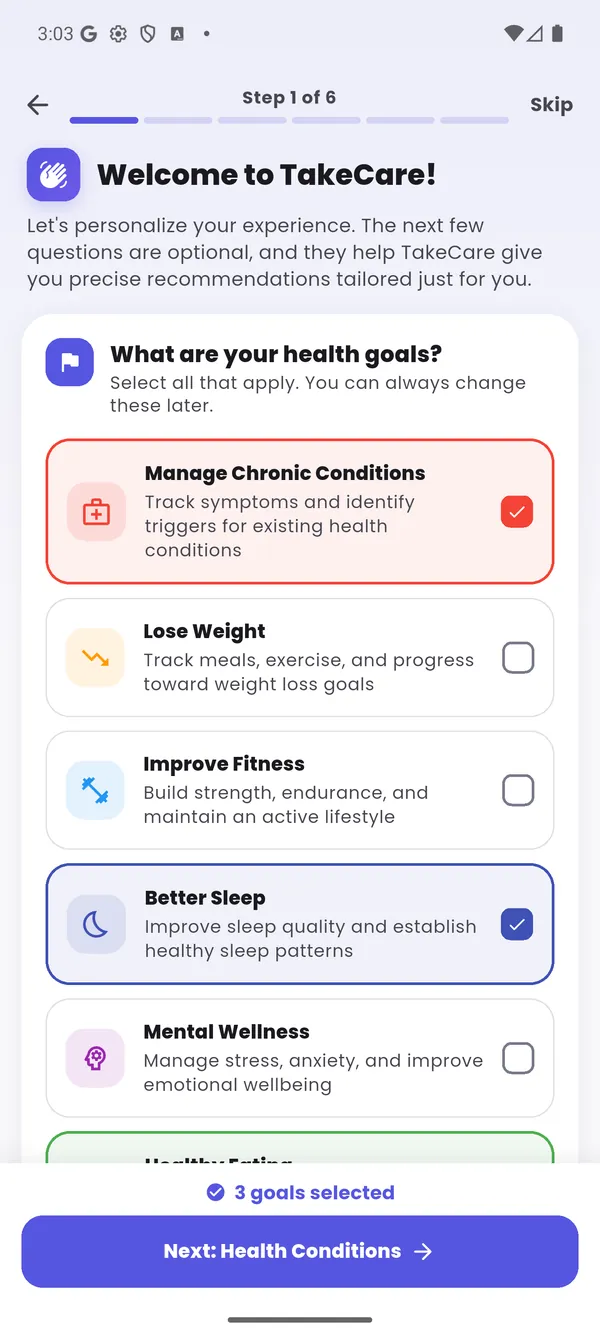
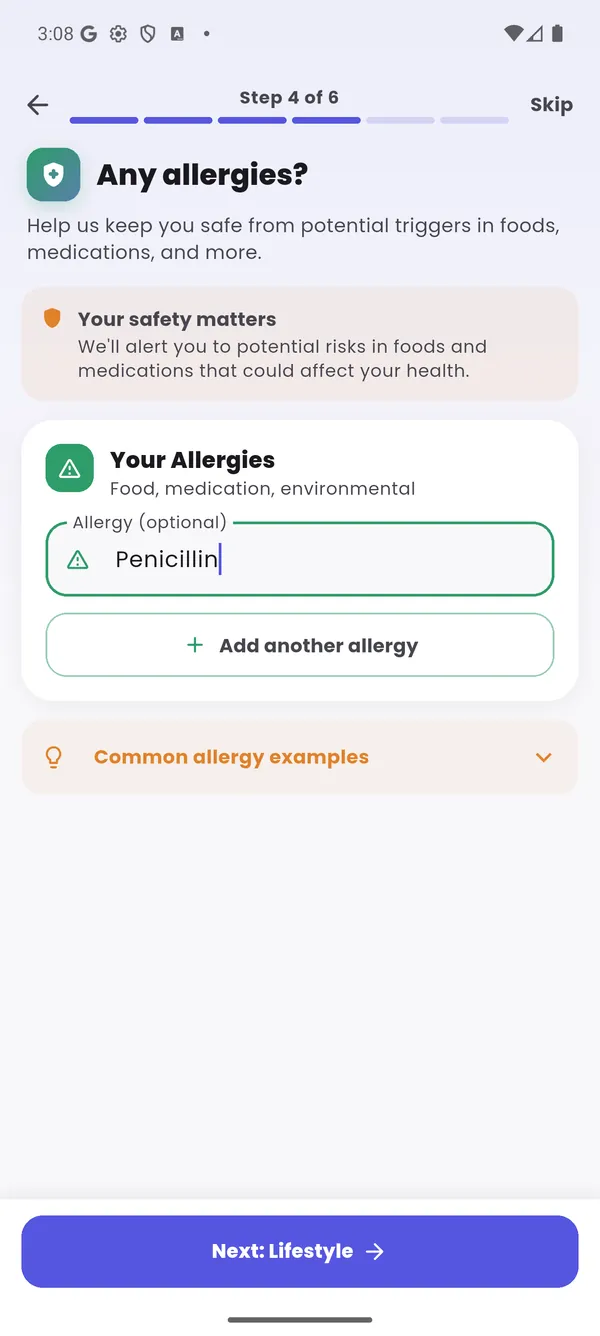
A short, friendly setup asks what you want to work on and what you're living with. Everything is optional and you can change it later, but the more you share, the more personal your insights become.
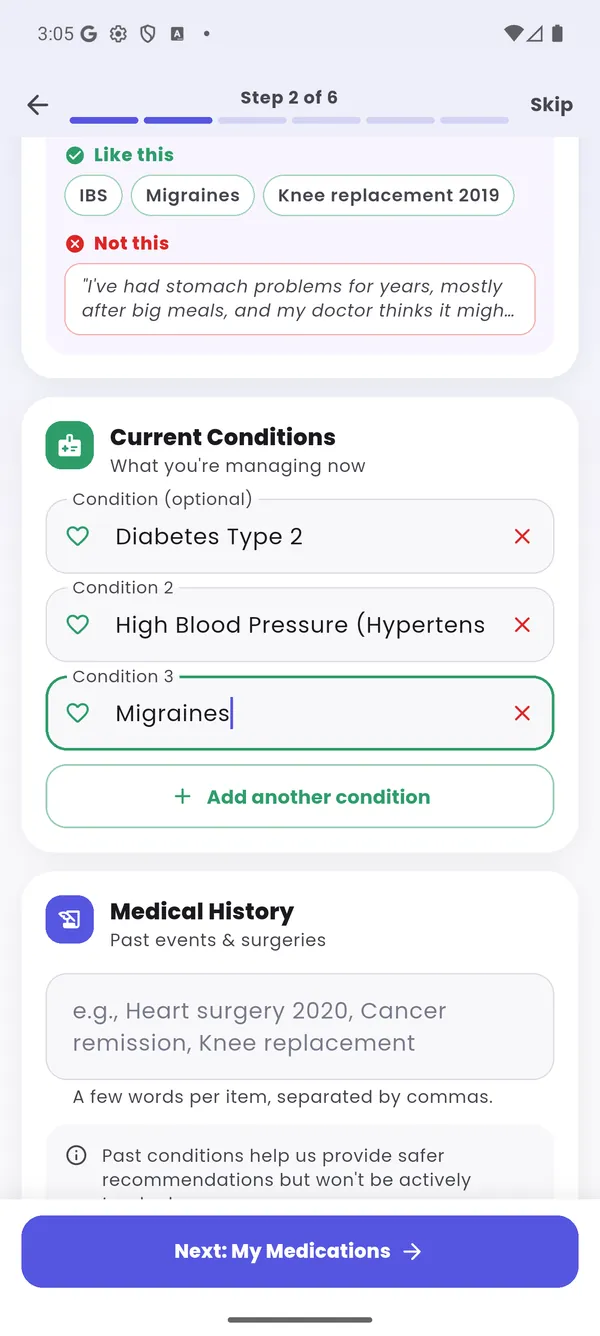
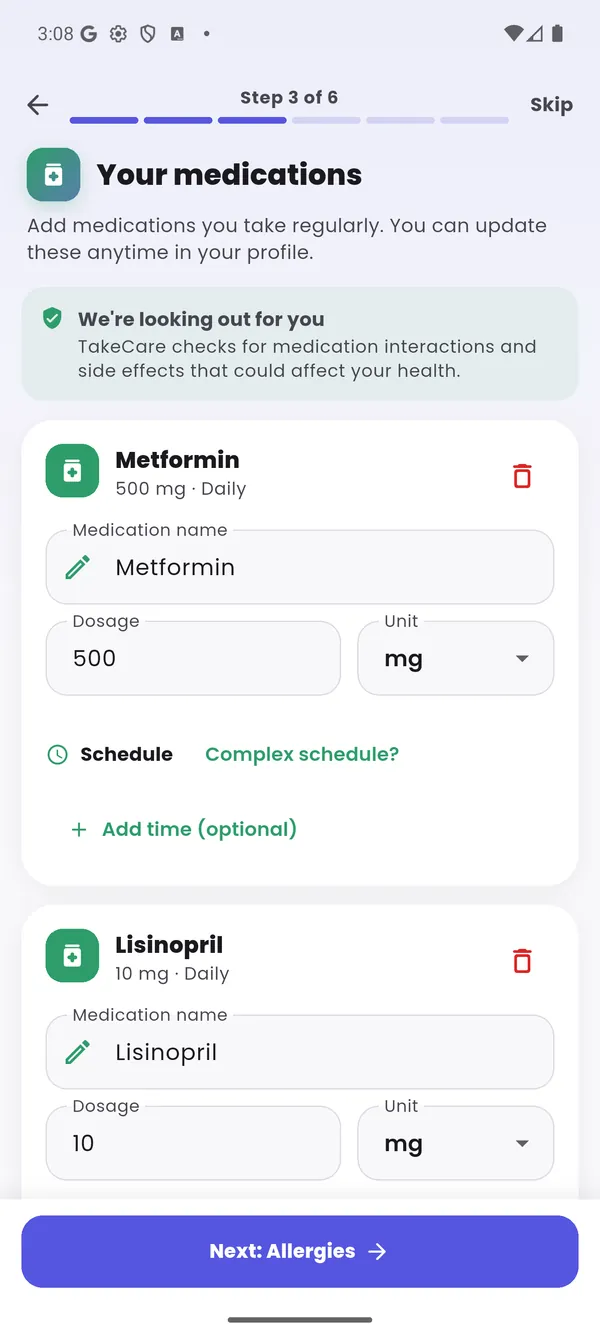
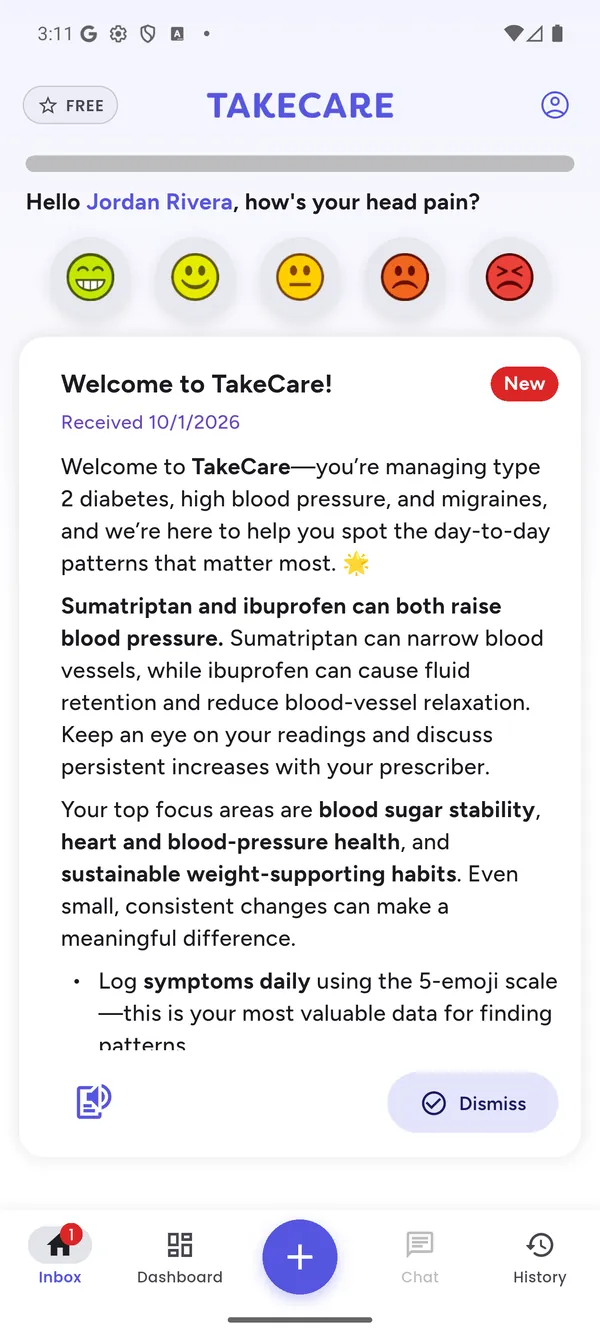
As soon as setup is done, TakeCare reviews everything together: how your medications interact with one another, side effects that could make one of your conditions harder to manage, and your allergies. You get a plain-language summary waiting on your home screen.
Sumatriptan (for migraines) can narrow blood vessels, and ibuprofen can cause fluid retention and reduce blood-vessel relaxation. Both can raise blood pressure, which matters because Jordan is also treating hypertension.
TakeCare points out things worth discussing with your doctor or pharmacist. It never tells you to start, stop or change a medication.
Logging your symptom severity is the single most valuable thing you can do in TakeCare. Just tap the face that matches how you feel, and add a note if you’d like, such as “headache behind the eyes” or “fatigue feels worse” or “I have stomach pain.“
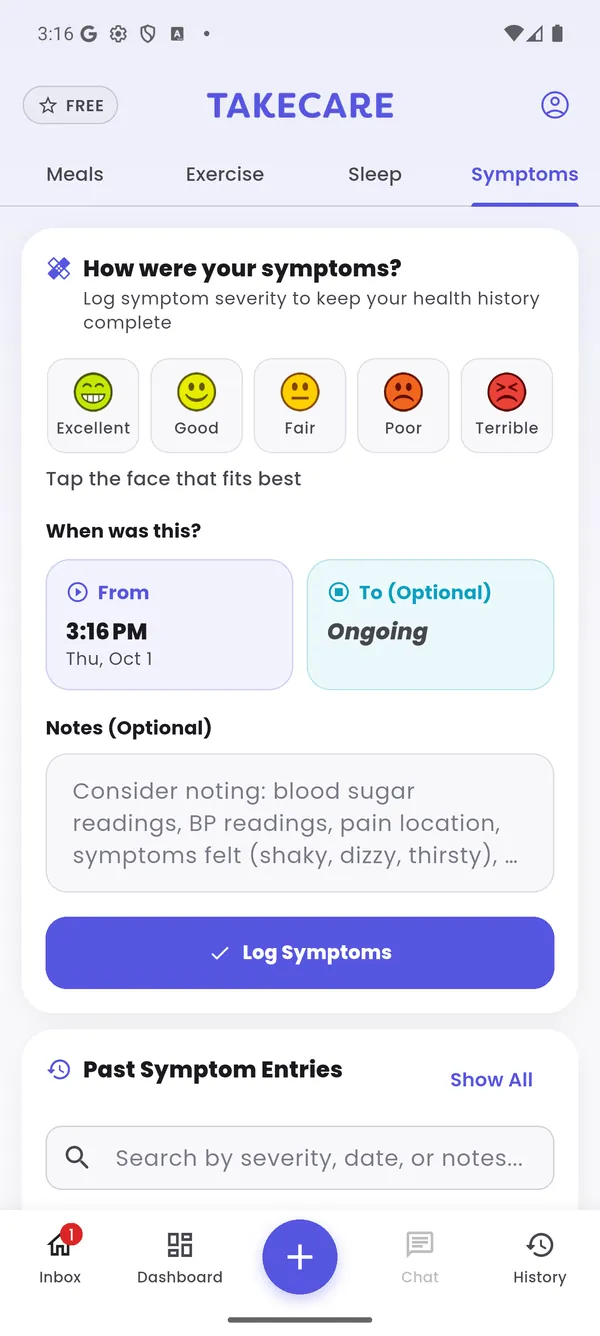
Without ratings, TakeCare knows what you did but not how it made you feel. With them, it can compare the hours after a meal, a dose or a short night with the hours after a good one, and spot the difference.
Missed ratings leave gaps. Consistent ratings turn into patterns you, and your doctor, can act on.
An example day
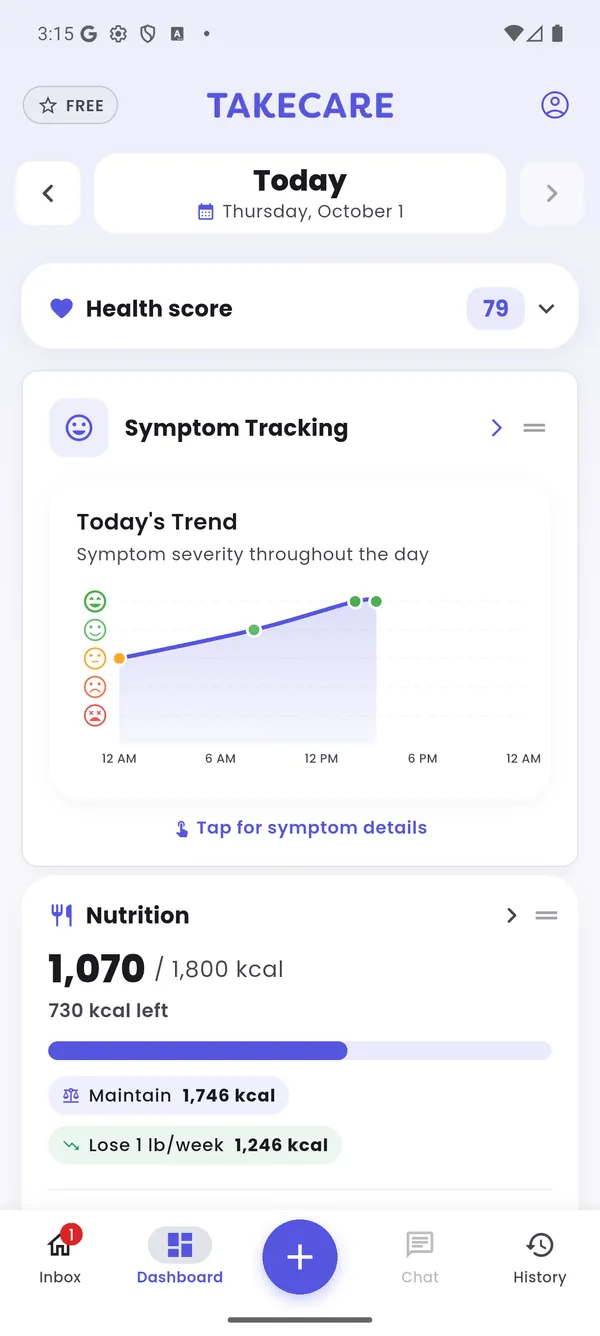
The Symptoms hub shows your average day by day, how you've been trending, and whether mornings, afternoons or evenings tend to be hardest. Your tracked conditions are listed right alongside.
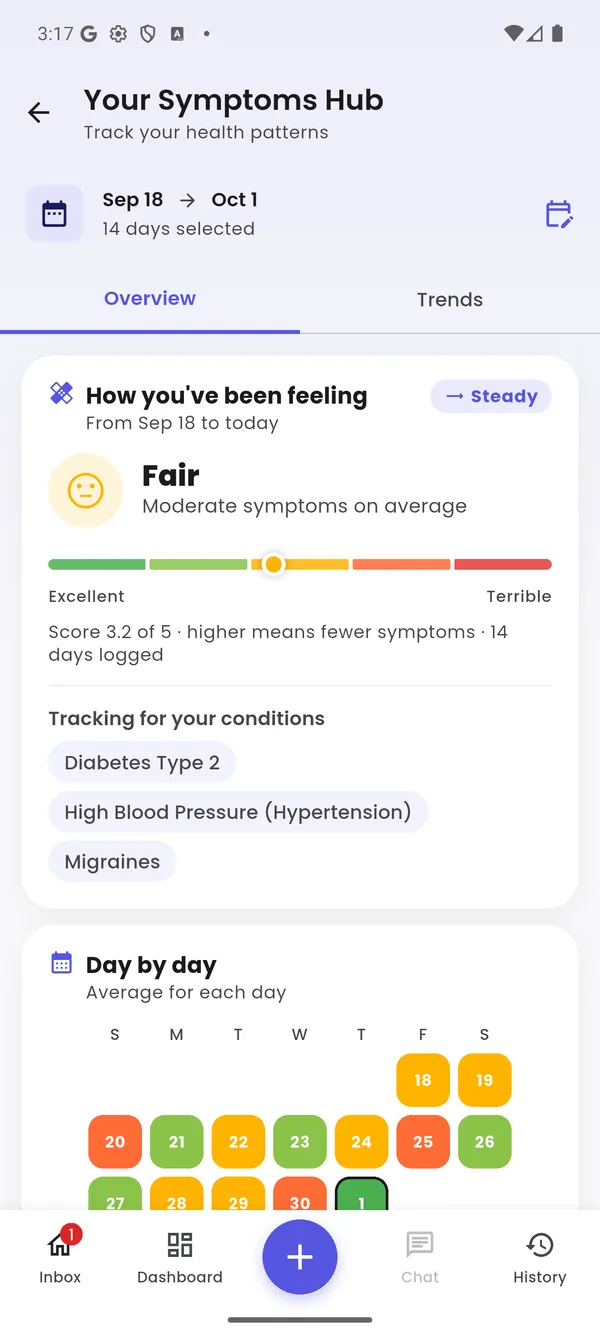
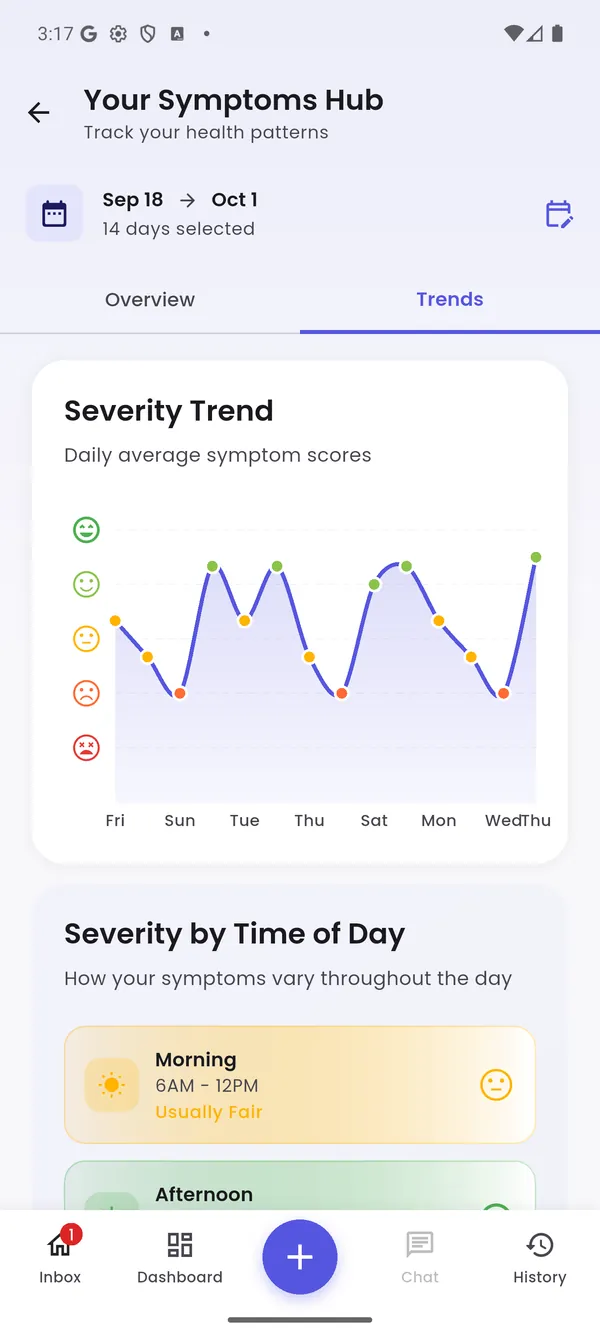
Tap the + button from anywhere. Or connect your watch and let sleep, steps and workouts fill in on their own.
Type or say what you had, scan a barcode, or snap a photoPRO. Re-add favorites in one tap with Quick Add. Water and caffeine count toward hydration.
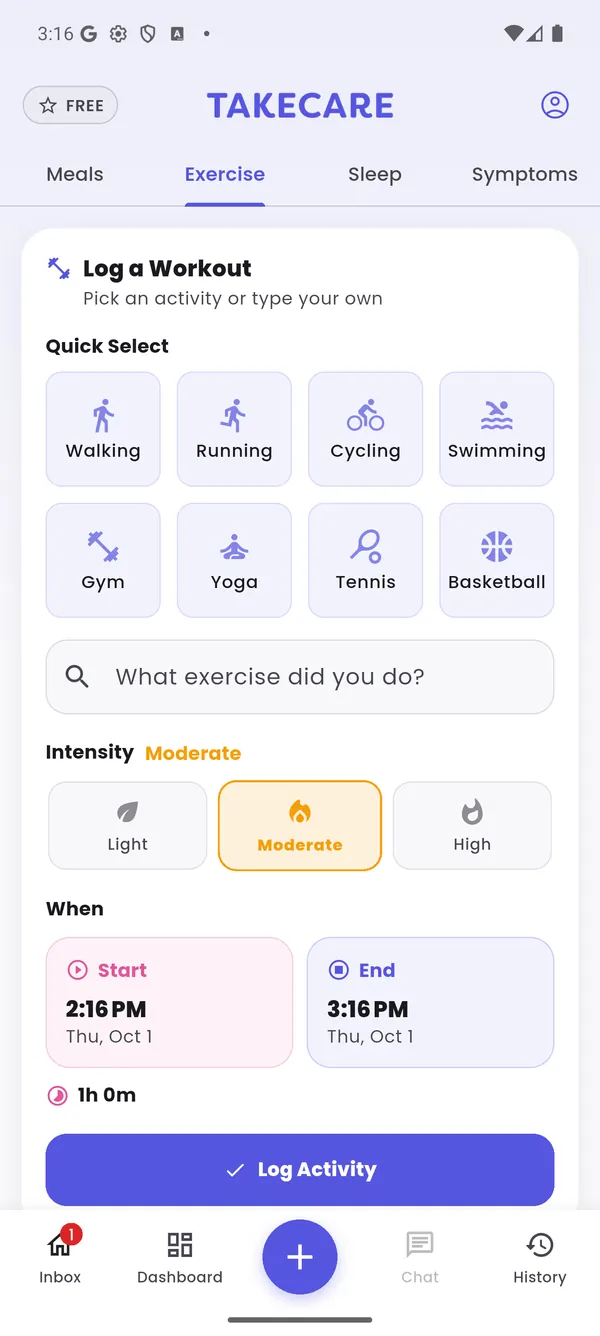
Pick walking, running, cycling, yoga and more, set the intensity and time, and you're done. Workouts from your watch appear automatically.
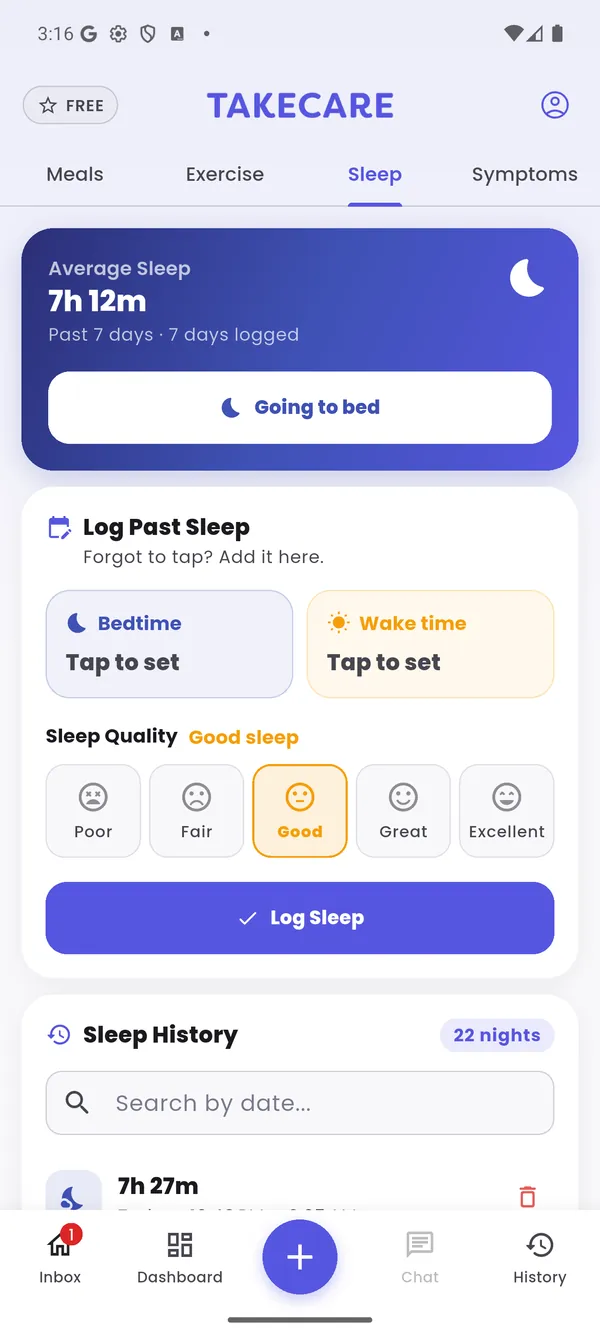
Tap "Going to bed" at night, or add a past night with bedtime, wake time and how well you slept. Synced nights include deep, REM and light sleep.
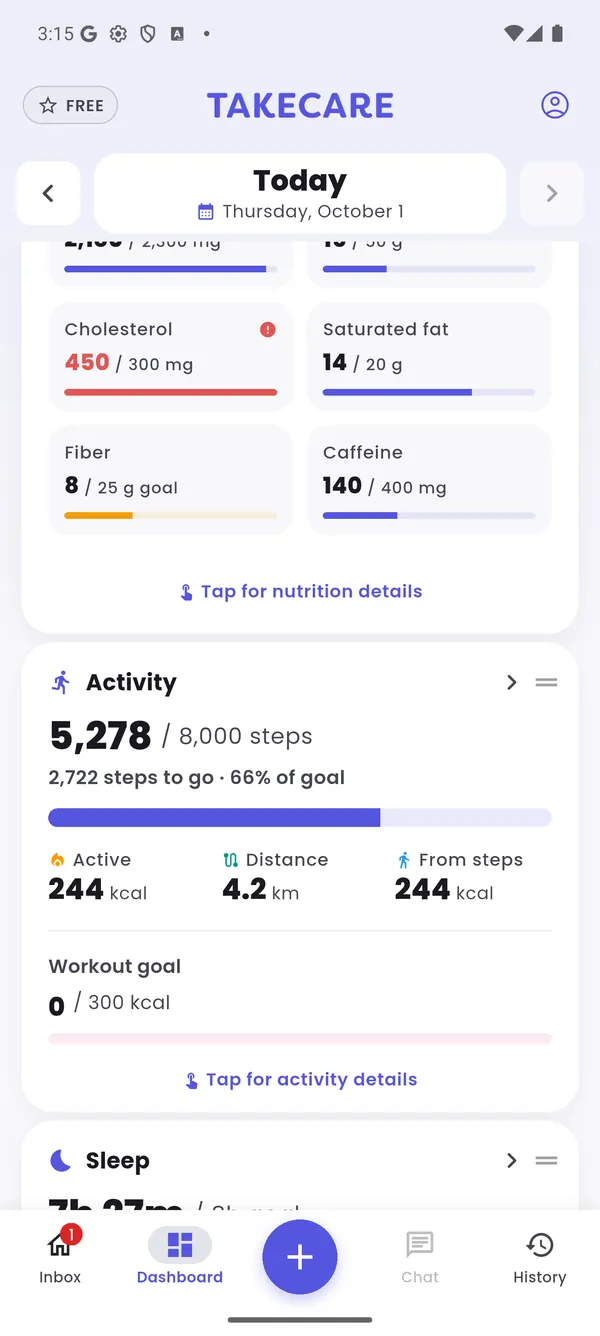
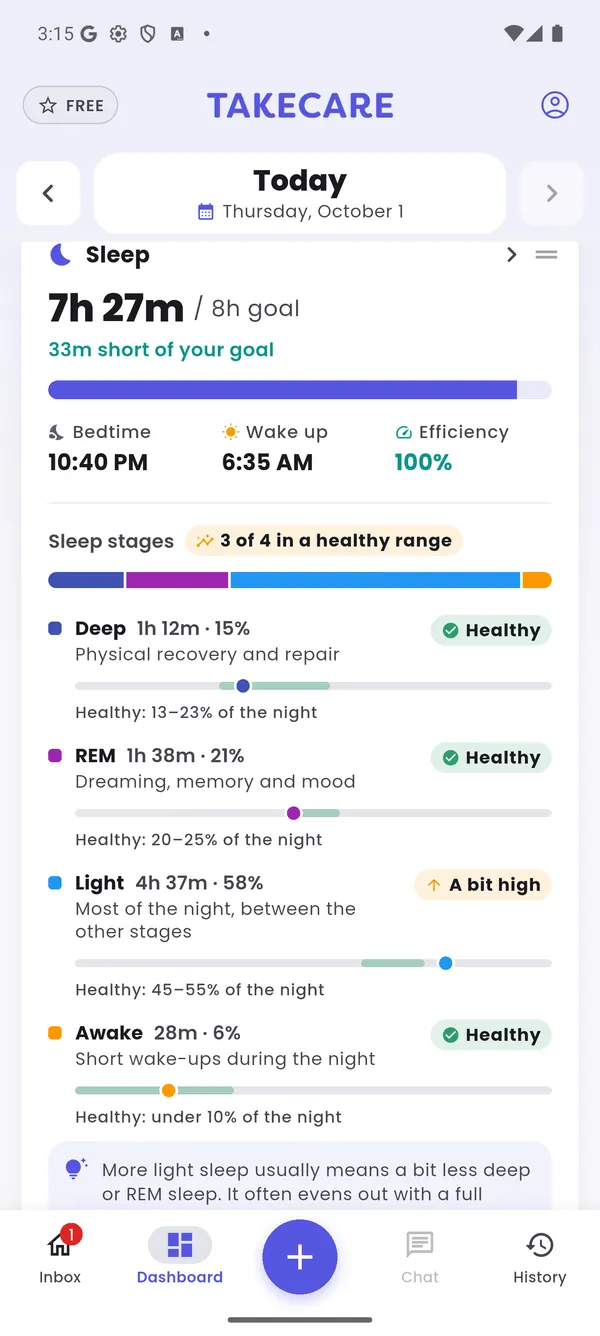
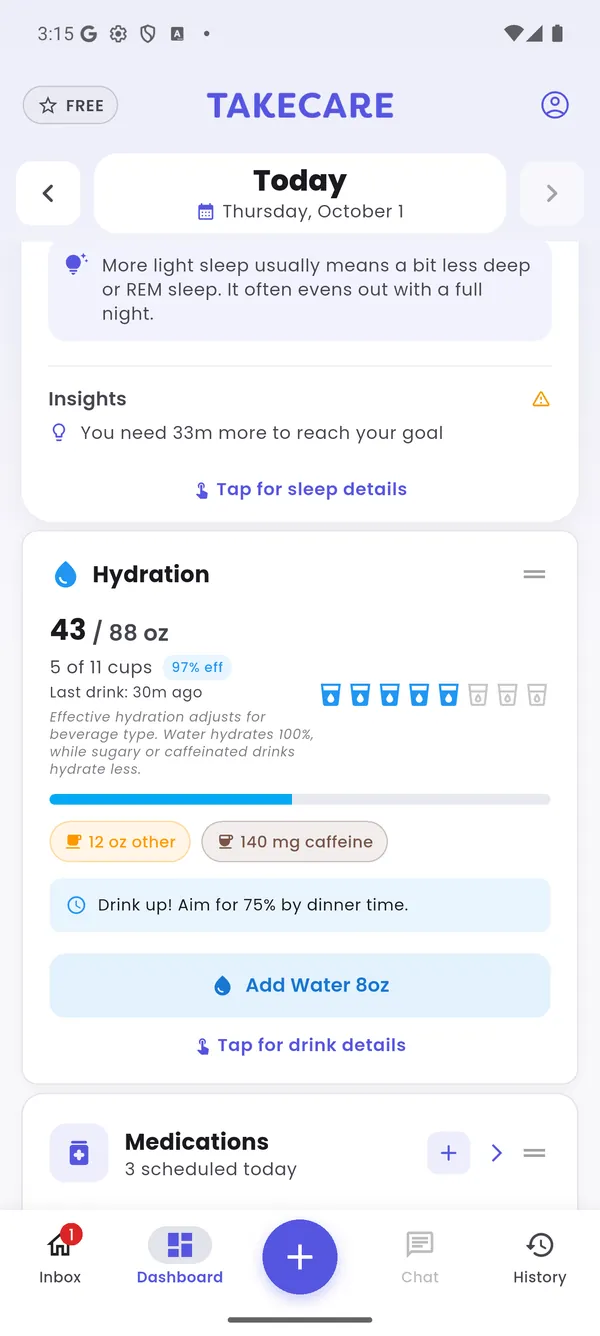
Open the app and see today in one scroll, from your health score to your last glass of water. Swipe back through earlier days to compare.
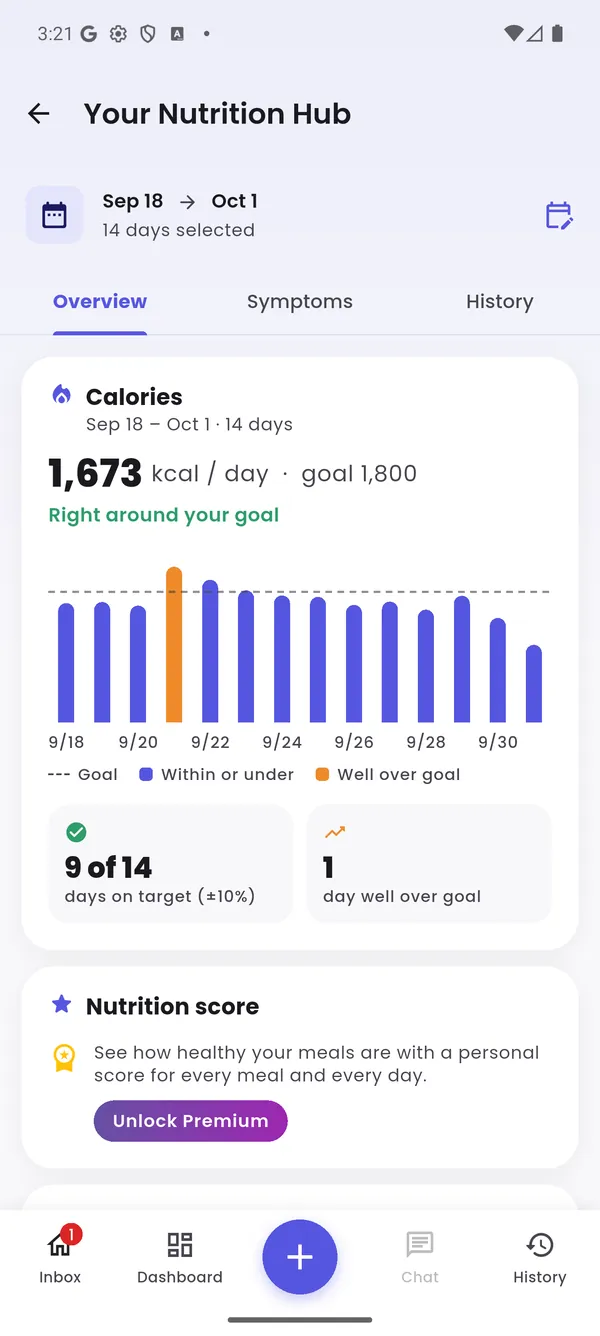
Each hub looks back over the days you choose, with a summary, patterns and the full history behind it.
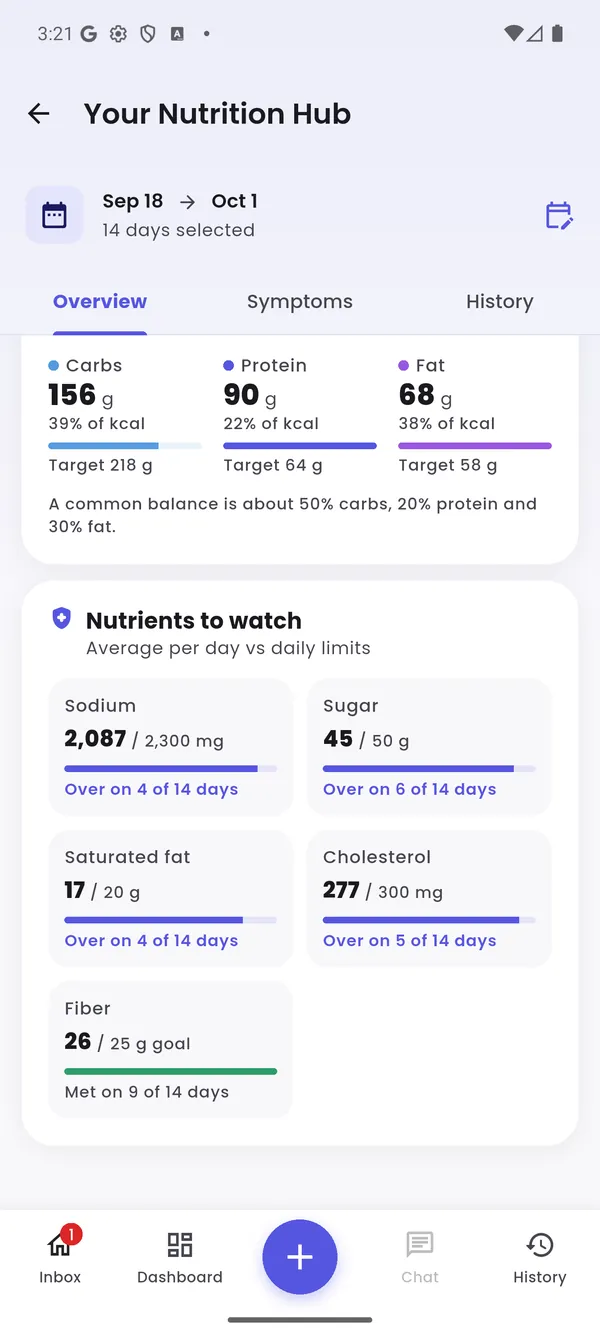
Daily calories against your goal, the nutrients to watch for your conditions, macro balance, and what stands out with a suggestion to try.
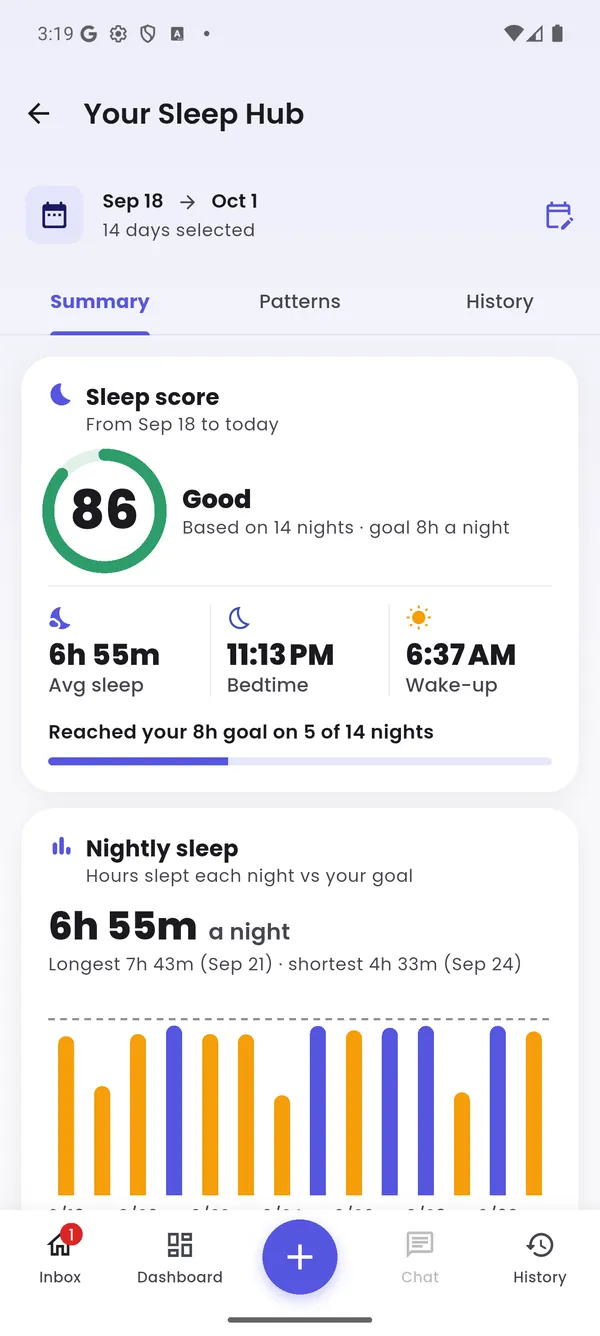
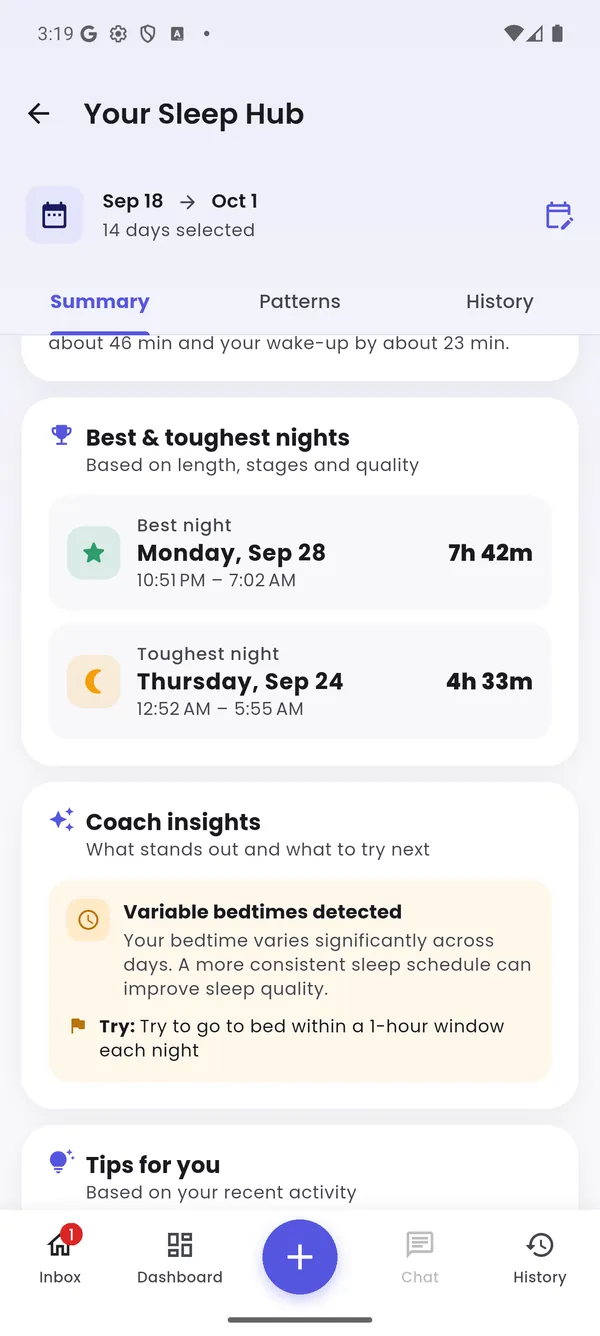
A sleep score, nightly hours against your goal, your usual bedtime and wake-up, sleep stages compared with healthy ranges, and your best and toughest nights.
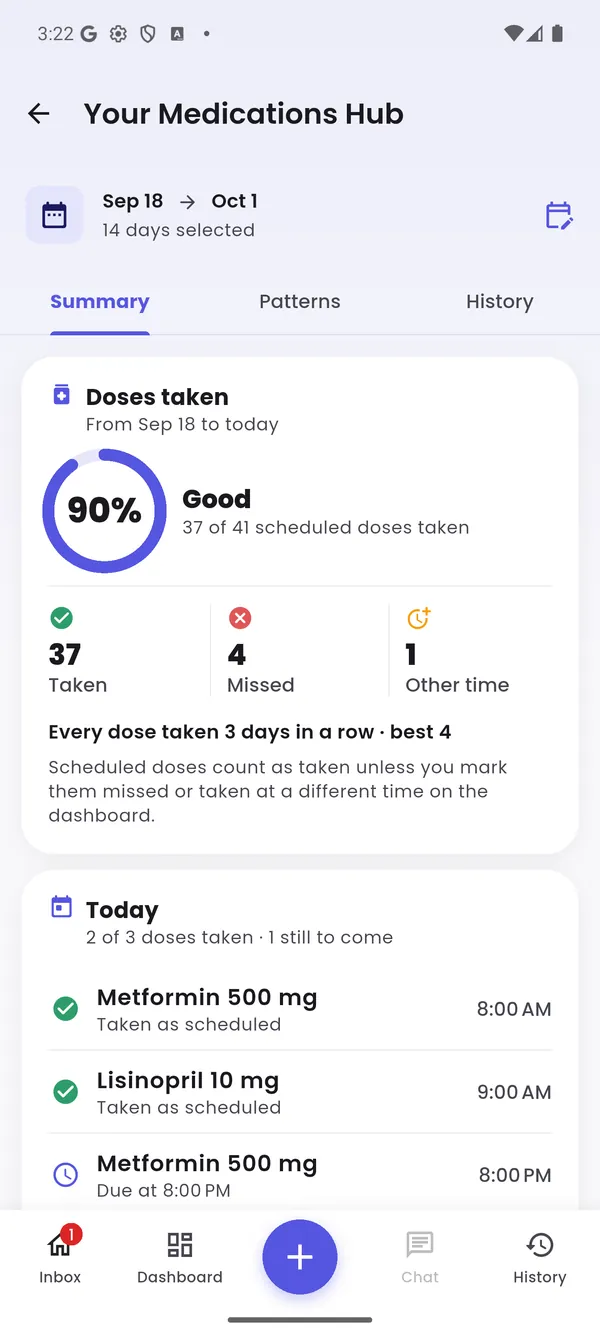
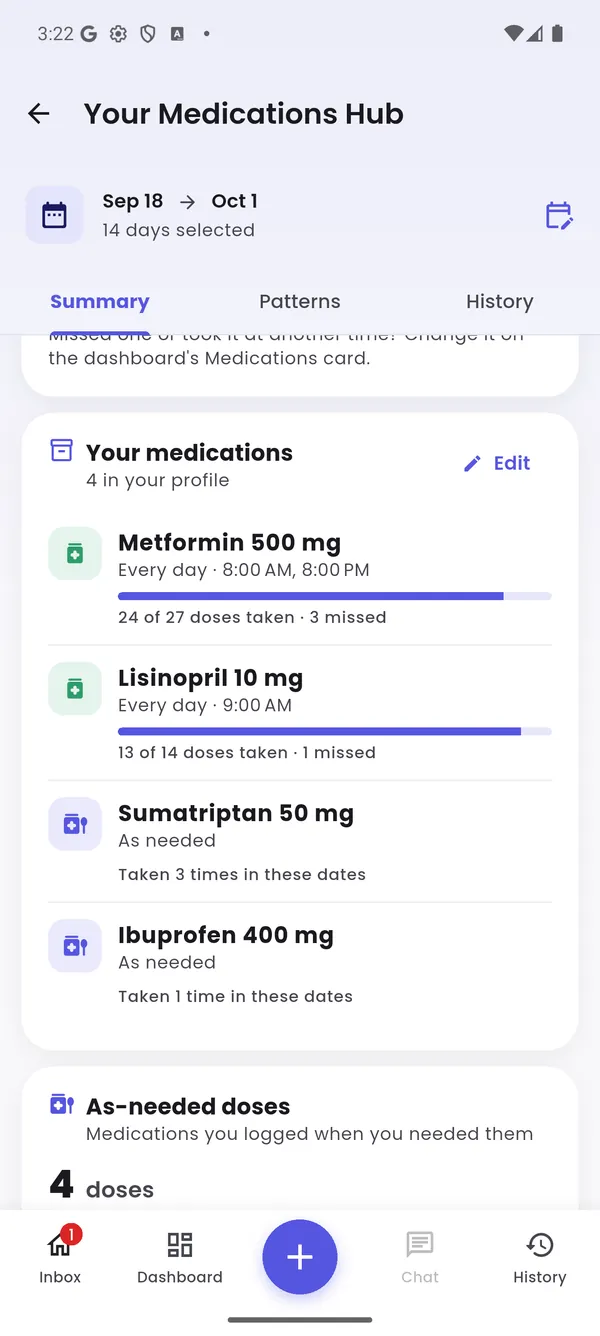
How consistently you take each medication, doses missed or taken at a different time, your streak, and every as-needed dose you logged.
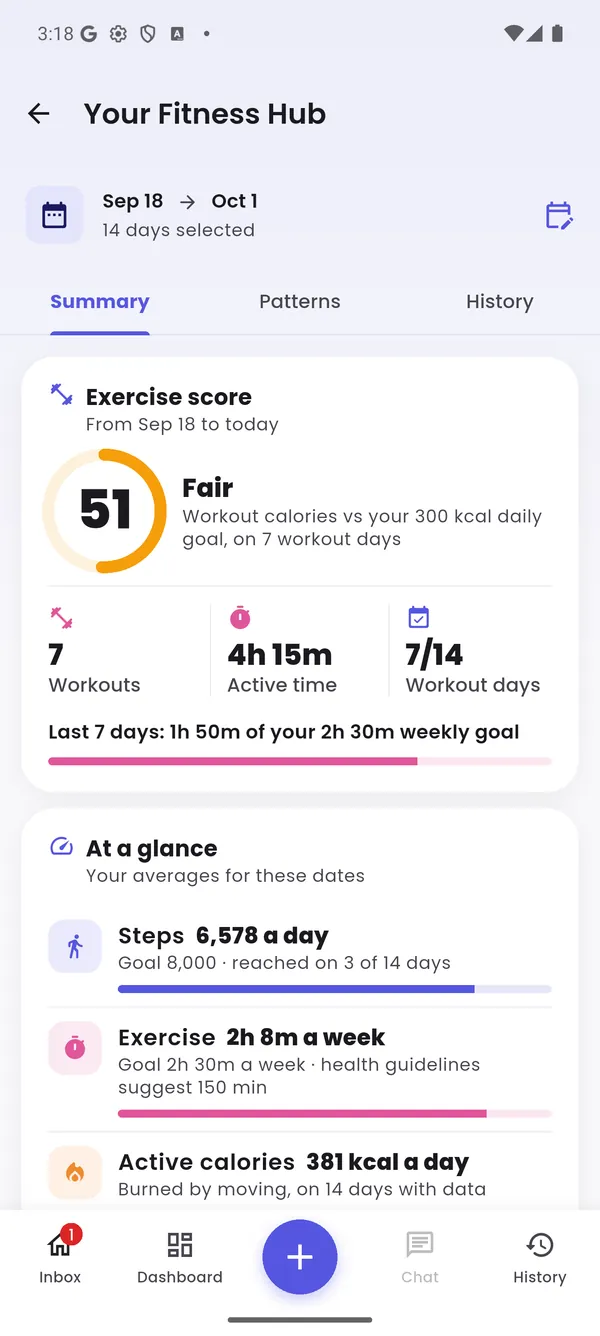
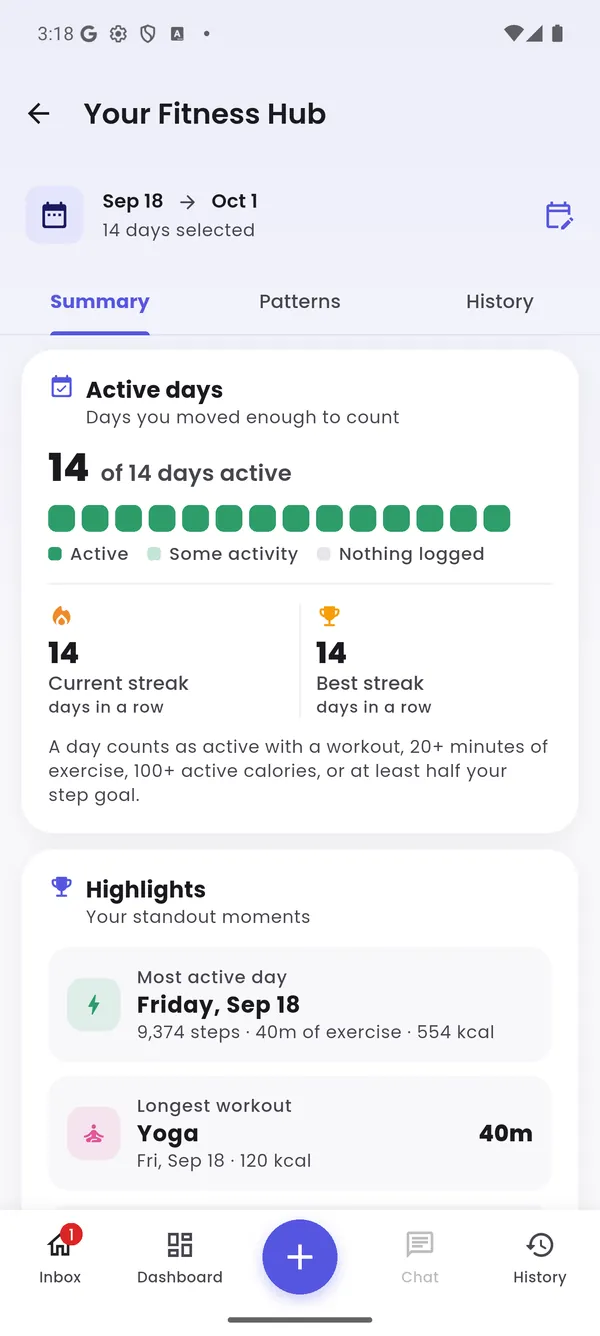
An exercise score, active days and streaks, steps, workout minutes compared with weekly guidelines, and your standout days.
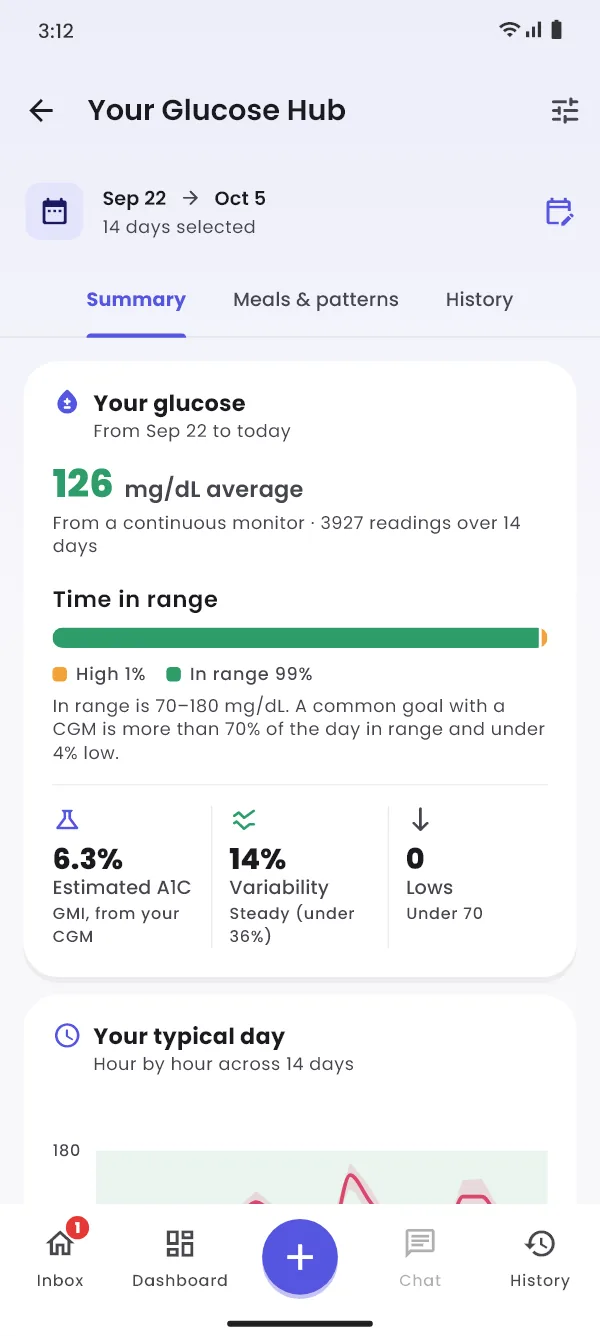
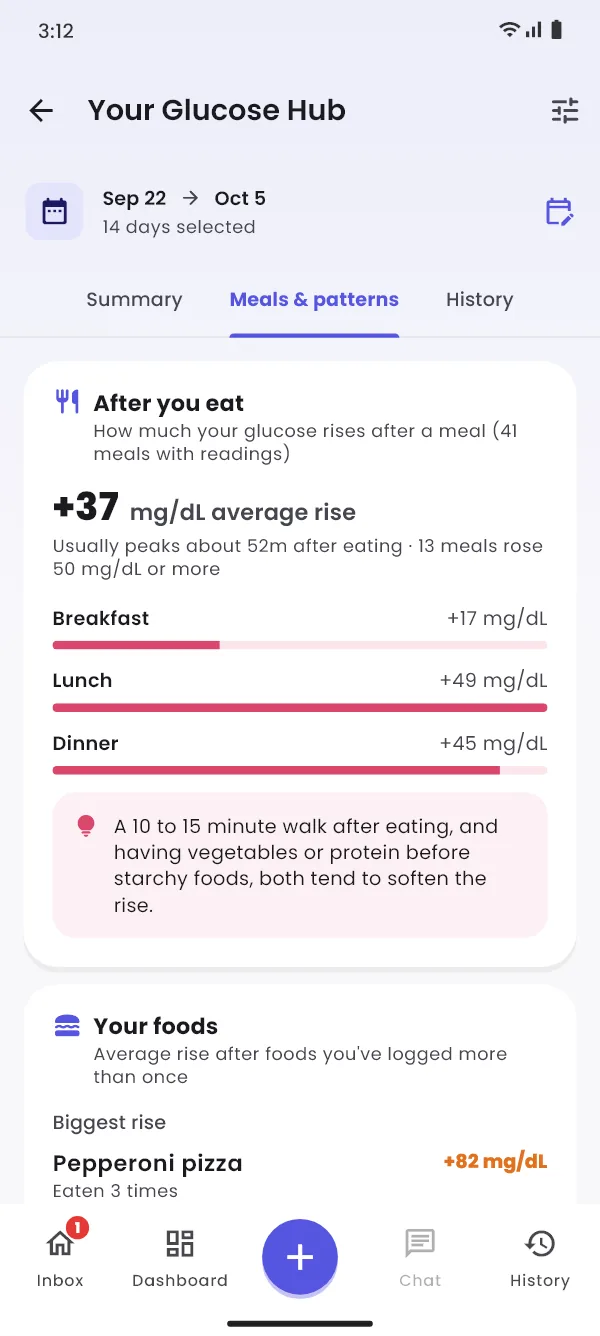
For people who check their blood glucose: your readings over the days you choose, how your meals affect them, and what else lines up with higher or lower days.
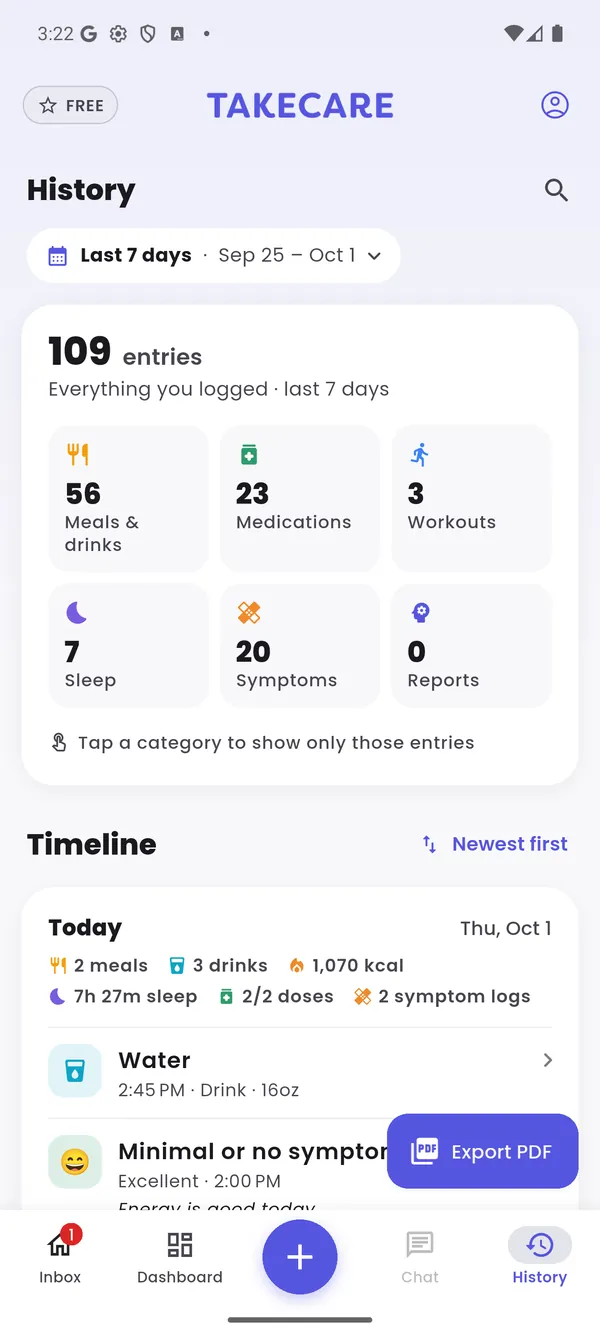
Everything you've logged, in one searchable timeline. Filter by category, pick any date range, and export a PDF to bring to your next appointment (Pro).
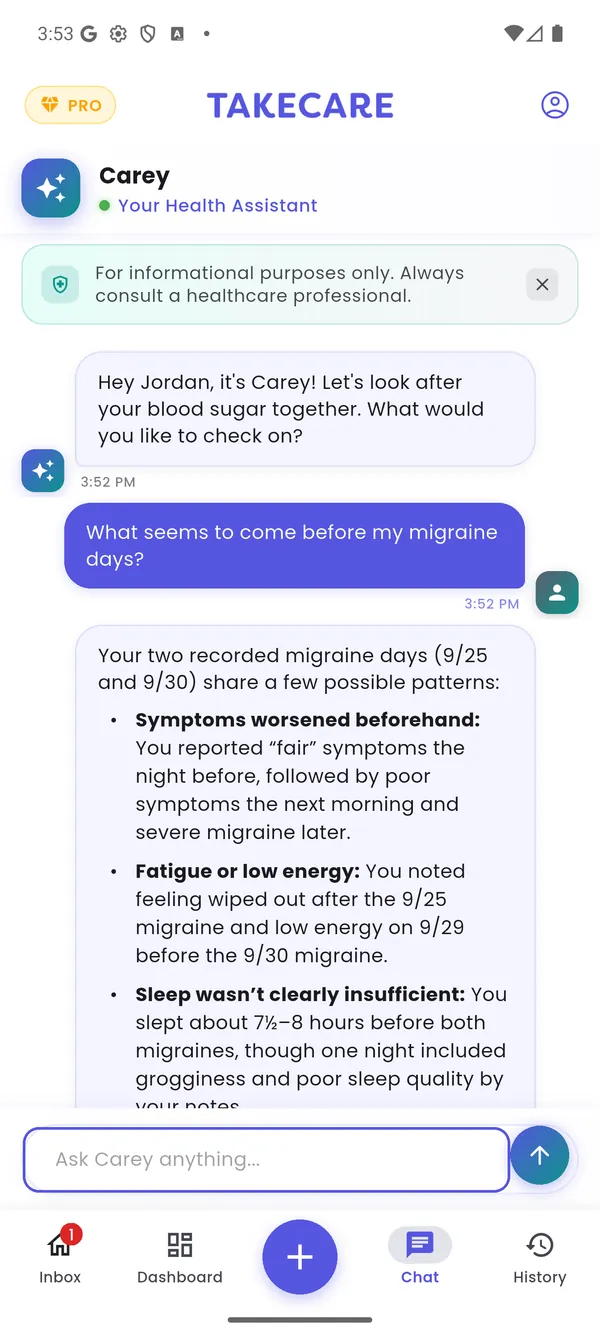
Carey knows your conditions, medications, allergies and everything you've logged, so answers are about you, not people in general.
"Why have my afternoons been rough this week?" "What could I eat tonight that's lower in sodium?" Answers grounded in your own data.
Each day's key finding, what went well, and one thing to try tomorrow.
Looks across weeks of meals, sleep, doses and activity to find what tends to come before your bad days, then suggests small experiments.
Every meal gets a rating that checks it against your conditions, medications and allergies, with a healthier swap. Snap a photo and TakeCare identifies the food.
The medication and condition check from step 2, included for everyone.
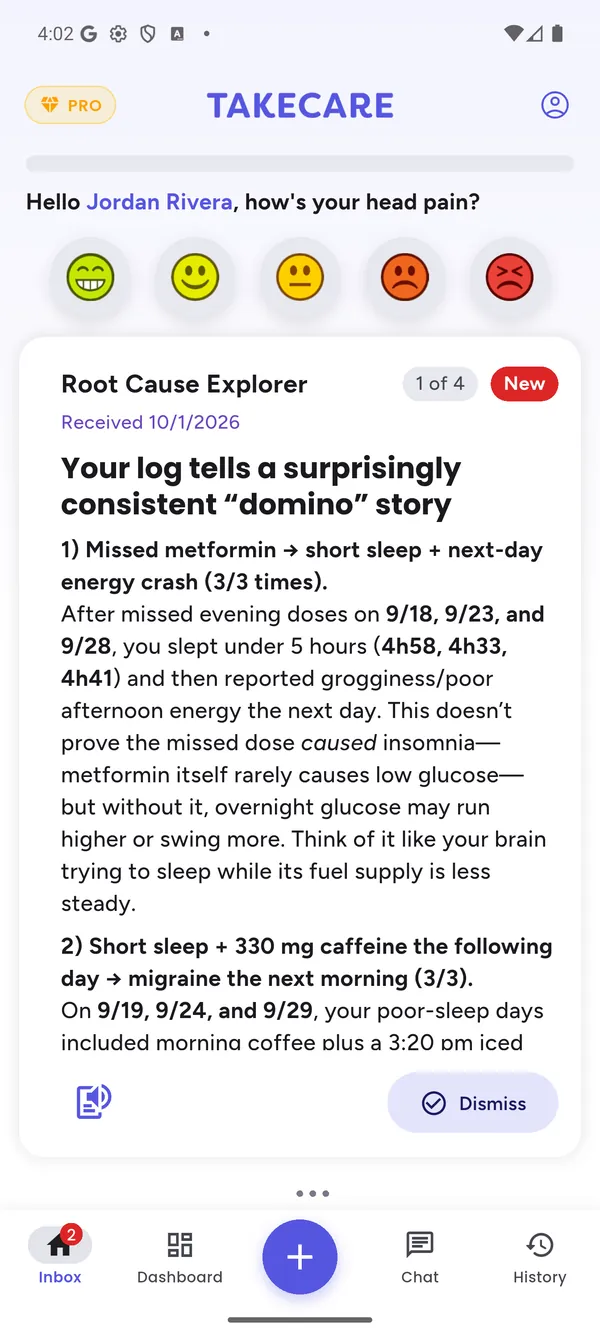
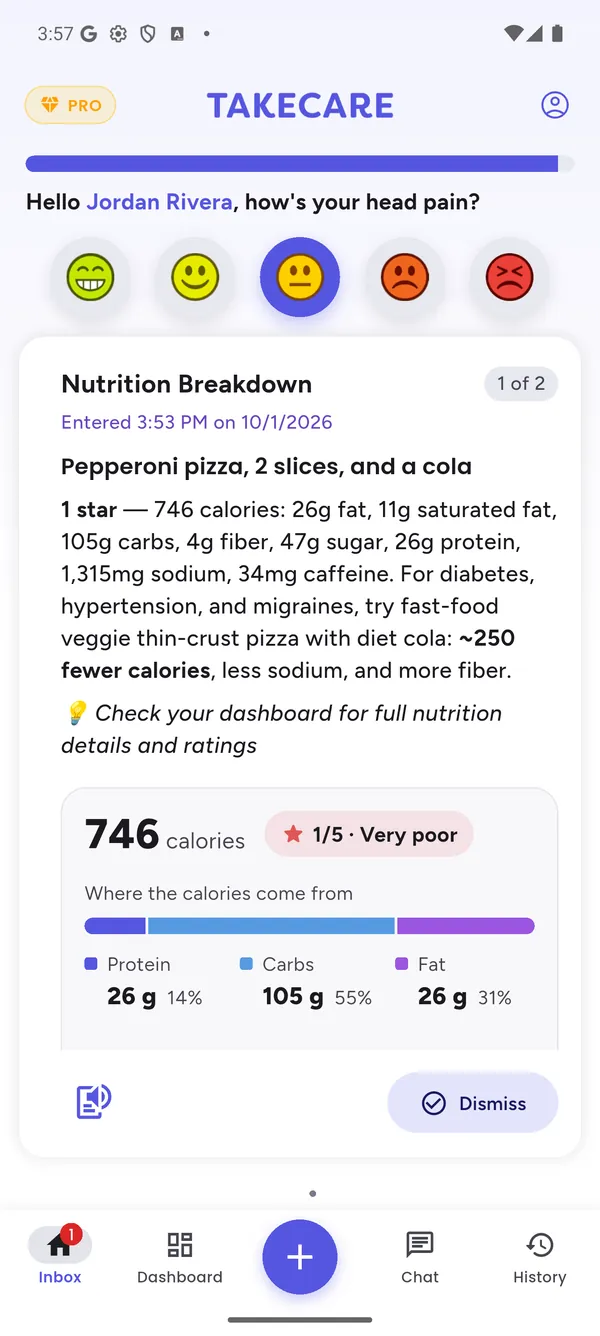
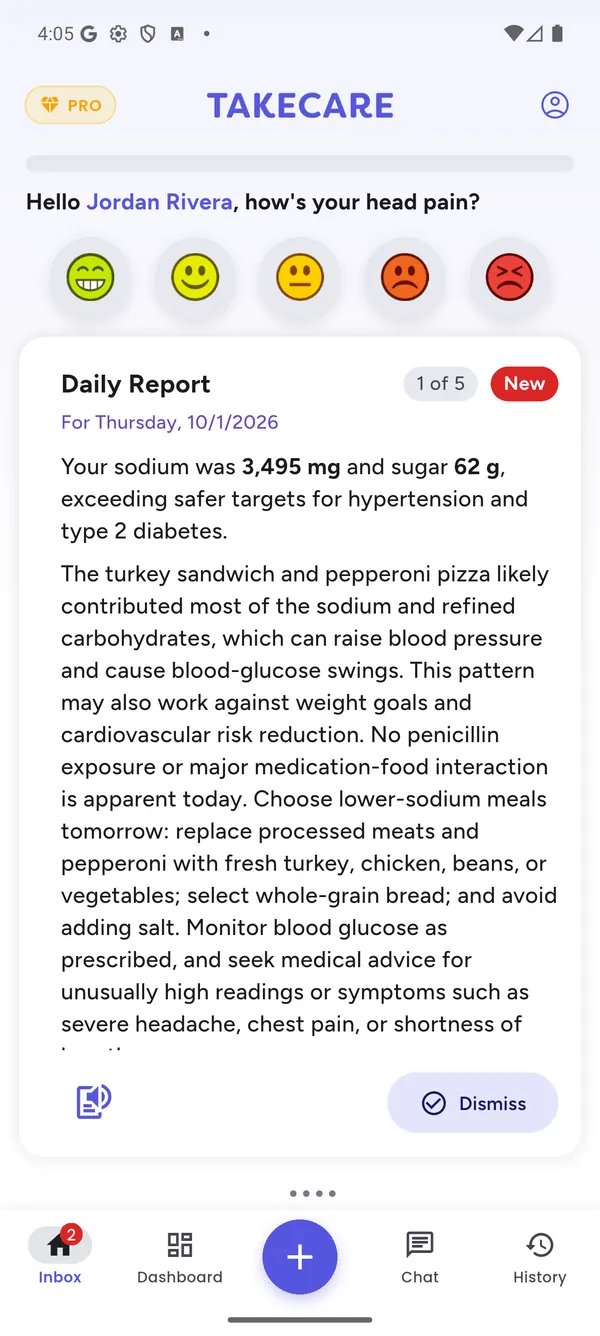
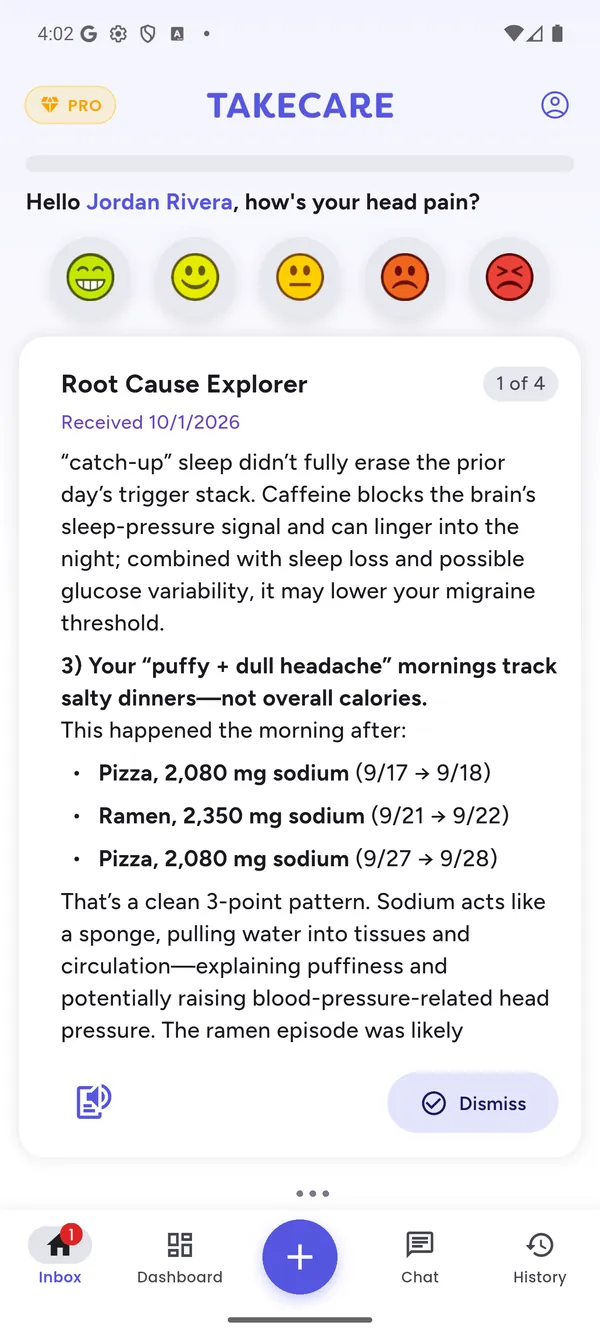
Enter your clinician's connect code in the app and choose exactly what they can see. They get a secure portal that lines up your meals, doses, sleep and symptom ratings, so appointments start with facts instead of memory.
For clinicians: see the portalFor health coachesFor researchers

Check your glucose with a meter or wear a CGM? TakeCare brings your readings in through Apple Health or Health Connect and lines them up with what you eat, how you sleep and how you feel. Using a meter that doesn’t sync? Add a reading by hand in seconds.
Screens from the app with sample readings for Jordan, the demo patient above. TakeCare doesn’t diagnose or treat; it helps you notice patterns to talk through with your care team.
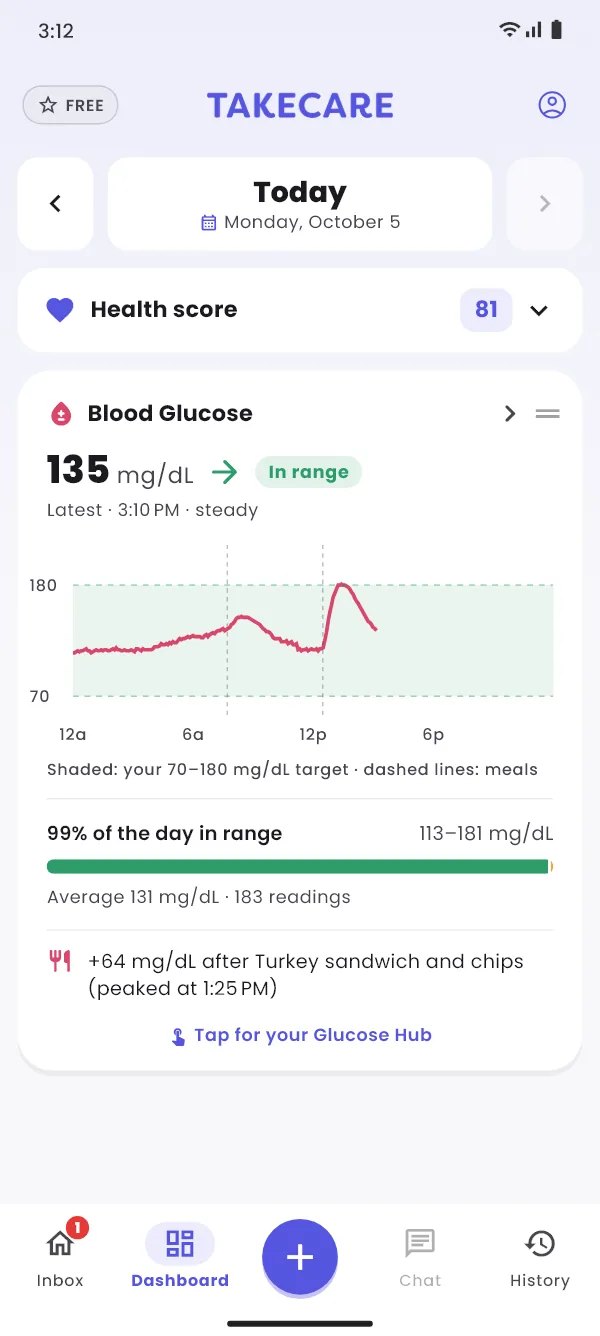
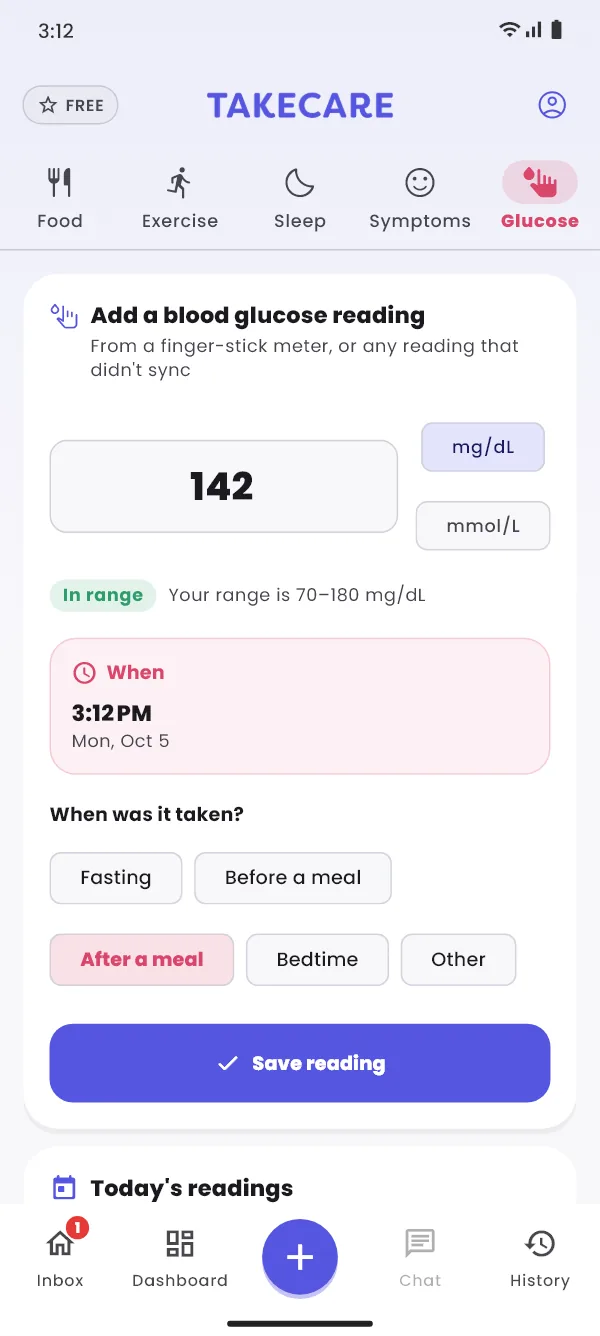
Sleep, steps, workouts and blood glucose sync through Apple Health on iPhone and Health Connect on Android.
 Apple Health
 Health Connect
We don't sell your personal information. Read the details in our privacy policy.
Clinicians see only the categories you choose, and you can stop sharing at any time.
Delete your account and data from the app, or from the web.
Everything you need to track
or $59.99/year (about $5 a month)
Calorie counters track what you eat. TakeCare is built for chronic conditions: it also tracks how you feel and your medications, connects them, and checks every meal against your health.
| Feature | TakeCareFree · Pro | MyFitnessPal | Healthify | Lose It! |
|---|---|---|---|---|
| Tracking | ||||
| Meal logging with full nutrition | Free | |||
| Barcode scanning | Free | |||
| Exercise and activity tracking | Free | |||
| Sleep tracking with sleep stages | Free | |||
| Smartwatch and phone health sync | Free | |||
| Trends and analytics | Free | |||
| Symptom tracking through the day | Free | GLP-1 only | – | – |
| Medication tracking and dose reminders | Free | GLP-1 only | – | GLP-1 only |
| Hydration that accounts for caffeine and alcohol | Free | – | – | – |
| Insights and AI | ||||
| Find what triggers your symptoms | Pro | – | – | – |
| AI health assistant | Pro | – | ||
| AI photo meal analysis | Pro | |||
| Personalized daily reports | Pro | – | – | |
| Meal and nutrition scoring | Pro | – | – | |
| Healthier alternatives | Pro | – | ||
| Safety checks for chronic conditions | ||||
| Medication and condition check | Free | – | – | – |
| Every meal checked against your medications | Pro | – | – | – |
| Allergy and sensitivity checks on meals | Pro | – | – | – |
| Your care team | ||||
| Share with your own clinician through a clinician portal | Free | – | – | – |
Based on each app’s published features in its app store listings and help pages, as of October 2026. Features change, so check each app for the latest. MyFitnessPal, Healthify and Lose It! are trademarks of their respective owners; TakeCare isn’t affiliated with them.
Yes. Logging, the dashboard, hubs, history, watch sync, medication reminders and sharing with your doctor are free. TakeCare Pro adds the AI features: Ask Carey, Daily Reports, Root Cause Explorer, meal photo analysis and nutrition scoring.
No. TakeCare helps you notice patterns and gives you better information to bring to appointments. It doesn't diagnose, and it never tells you to start, stop or change a medication. Always check with your doctor or pharmacist.
Aim for three ratings a day: morning, afternoon and evening. Each one takes a couple of seconds. The more consistent you are, the sooner TakeCare can spot what helps and what hurts.
No. You can log sleep and exercise by hand. A watch or fitness tracker just makes it automatic and adds details like sleep stages and steps.
Your clinician gives you a connect code. Enter it in the app and choose what they can see. They view it in the TakeCare clinician portal. You can change or stop sharing whenever you like. Learn more for clinicians.
Carey is TakeCare's AI health assistant. Carey reads what you've logged, along with your conditions, medications and allergies, to answer your questions and write your reports.
Yes. Pro stays active until the end of the period you've paid for. Your data is always yours: you keep everything you've logged and all the free features. You just won't have the AI features. Pro is billed by Apple or Google; see our refund policy.
Yes, at any time. Yearly works out to about $5 a month, half the monthly price.
Not yet. Each account is individual for now.
Free on iPhone and Android. Set up takes a few minutes.